“My child must learn to code!”
I hear this from many parents. The pressure is enormous. Coding courses for 4-year-olds. Apps “teaching programming.” Robots controlled by tablets.
But does a 4-year-old really need a screen to learn to think like a programmer?
No. And educators like Maria Montessori understood this 100 years before the first computer was invented.
What exactly is “computational thinking”?
Programming isn’t about writing code. It’s a way of thinking:
1. Decomposition
Breaking down a big problem into small steps.
2. Pattern recognition
Finding repeating elements.
3. Abstraction
Ignoring irrelevant details, focusing on what’s important.
4. Algorithms
Creating sequences of steps leading to a solution.
5. Debugging
Finding and fixing errors.
All these skills can be developed without a single screen.
Hands-On Learning = Unplugged Coding
Sequences in Daily Activities
Every step-by-step hands-on activity is an algorithm:
RECIPE: Pouring water

1. Go to the shelf
2. Take the tray with pitchers
3. Carry to the table
4. Grasp the pitcher with water with right hand
5. Grasp the empty pitcher with left hand
6. Tilt slowly
7. Observe the water level
8. Stop when full
9. Put down pitchers
10. If you spilled → get sponge → wipe
11. Return tray to shelf
A child who performs such sequences for a year internalizes algorithmic thinking at the body level.
Loops and iterations
The Pink Tower, Brown Stairs, Red Rods - all are based on a repeating pattern:
LOOP: Building the Pink Tower

REPEAT 10 times:
  - Find the next smallest cube
  - Place on the previous one
  - Check if stable
END LOOP
Debugging in practice
When the tower falls - the child doesn’t cry (ok, sometimes they cry). But then they analyze the error:
- “Which block was placed wrong?”
- “Was the order correct?”
- “What will I do differently next time?”
This is debugging - a fundamental programmer’s skill.
Conditions (if/then)
Sensorial exercises teach conditional logic:
IF cube is bigger:
  → Place at the bottom
OTHERWISE:
  → Place at the top
Practical “unplugged coding” activities
For 3-4 year-olds:
1. Picture recipe
Draw the steps of making a sandwich. Child executes the “program”:
[Picture of bread] → [Picture of butter] → [Picture of cheese] → [Picture of bread]2. Human robot
Child gives instructions, you (the robot) execute them literally:
- “Go to the fridge” → You walk straight, walk into the wall
- “Turn left” → Ok
- “Take 5 steps” → You reach the fridge
- “Open the door” → You open it
The child learns that a computer does exactly what you tell it - it doesn’t guess intentions.
3. Floor maze
Painter’s tape on the floor. Child must give instructions to the teddy bear:
- “Straight, straight, right, straight, left, STOP”
For 5-6 year-olds:
4. Sequence cards
Prepare cards with activities (pictures or words):
- Morning: wake up → get out of bed → go to bathroom → brush teeth → …
Child arranges them in order. Then: “What if you forget to brush your teeth? Where do you insert the card?“
5. Error correction game
Give the child a “broken recipe”:
1. Put bread in toaster
2. Spread with butter
3. Turn on toaster  ← ERROR! Wrong order!
4. Remove toast
“Find the error and fix it.”
6. Patterns and loops with blocks
Build a pattern: 🔴🔵🔴🔵🔴🔵
“What comes next? And next? Can you describe the rule?”
For 6-7 year-olds:
7. Simple paper coding
5x5 grid, pawn starts in the corner. Child writes a “program”:
→ → → ↓ ↓ → STOPYou check together if the pawn reached the goal.
8. Binary codes
Explain that computers only know YES/NO (1/0).
Create your own code: flashlight on = 1, off = 0. Send a message! (e.g., 101 = A, 110 = B…)
9. Debugging race
Two “programs” with hidden errors. Who finds them all first?
Classic learning materials and programming concepts
| Learning Material | STEM Concept |
|---|---|
| Pink Tower | Sequences, sorting, variables |
| Cylinders | Comparing, matching |
| Color tablets | Classification, abstraction |
| Bead chains | Loops, multiplication, powers |
| Puzzle map | Decomposition (whole → parts) |
| Dressing frames | Sequential algorithms |
| Pouring | Conditions (if full → stop) |
When to introduce real coding?
Not before 6-7 years old
Before this age, the brain isn’t ready for symbol abstraction. It needs concrete experiences.
Signs of readiness:
- Child reads and writes fluently
- Understands cause-and-effect relationships
- Can plan multi-step actions
- Shows interest (not parent pressure!)
Good first steps:
- Scratch Jr (from 5-7 years) - visual programming
- Cubetto (from 3 years) - robot without screen
- Code.org beginner courses
- LEGO Education - physical + digital
Avoid:
- Courses promising “programming for 3-year-olds”
- Apps with ads and gamification
- Pressure for “results” and “projects”
MYTH: “My child must start early to keep up”
This is not true. Research shows:
Children who start programming at age 10-12 reach the same level as those who started at age 5 - but faster and with less frustration.
Why? Because they have:
- Better abstract thinking
- Greater tolerance for frustration
- Developed reading skills
- Internal motivation (vs. parent pressure)
The best investment in a 4-year-old’s “programming future” is:
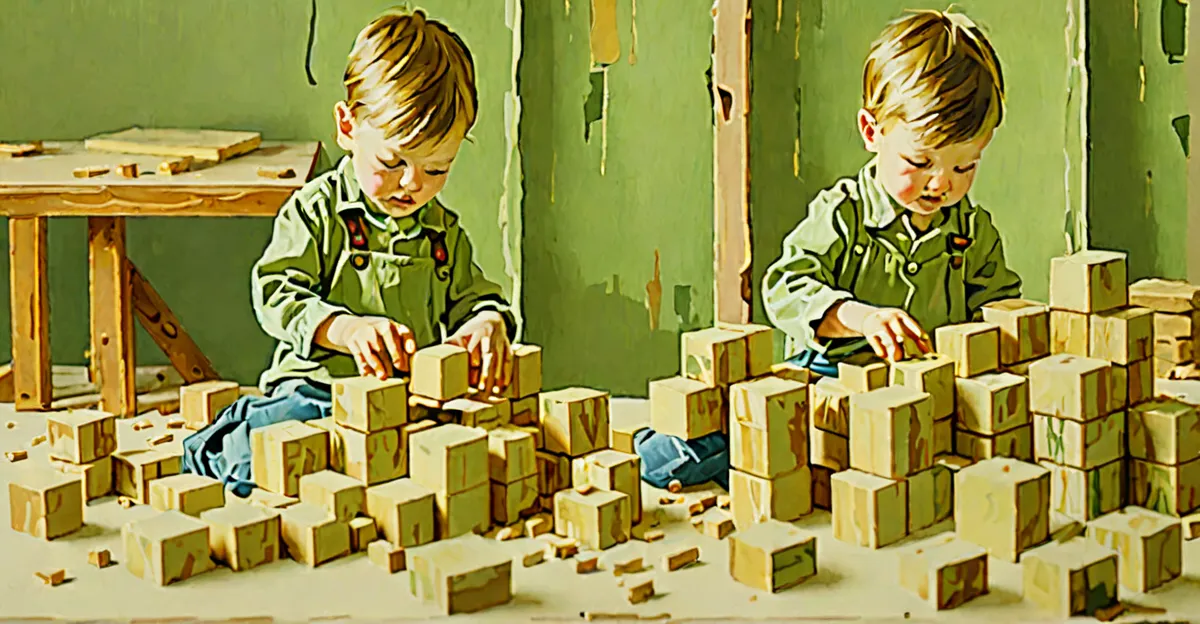
- Building blocks
- Puzzles
- Cooking together
- Board games
- Outdoor play
Board games developing computational thinking
From 3 years:
- First Orchard Game - sequences, patience
- Turtle Race - planning moves
From 4 years:
- Robot Turtles - unplugged programming
- Granna - Ale Cyrk - logical sequences
From 5 years:
- Labyrinth - path planning
- Rush Hour - problem solving
From 6 years:
- Code Master - programming on board
- Gravity Maze - logic and physics
Summary
Your 4-year-old doesn’t need a Python course. They need:
- Time for free exploration
- Materials to manipulate (blocks, puzzles, everyday objects)
- Experiences of cooking, building, taking apart
- Conversations about how things work
- Mistakes and space to fix them
Programming will come. When the child is ready, they’ll absorb it in a few months. But the foundations - sequential thinking, problem-solving, debugging - are built through years of play.
Maria Montessori said: “The hand is the instrument of the mind.”
Before a child touches a keyboard, let them touch the world.
Read also
- Math Without Stress: How Children Actually Learn Numbers
- ChatGPT for Parents: How to Use AI Wisely
- How to Build Curiosity in Your Child (Not Just Knowledge)
Frequently Asked Questions
Will my child fall behind if they don’t start coding classes at age 4?
No. Research consistently shows that children who start programming at 10-12 reach the same level as early starters, but faster and with less frustration. The best investment at age 4 is building foundational skills - sequencing, problem-solving, and hands-on manipulation - through blocks, cooking, and everyday activities.
How is playing with blocks actually related to programming?
Building with blocks requires the same core skills as coding: breaking a problem into steps (decomposition), recognizing patterns, planning a sequence of actions, and fixing errors when the structure falls. A child who spends years manipulating physical materials develops the spatial reasoning and logical thinking that makes learning actual code much easier later.
What about “educational” coding apps and robots for preschoolers - are they worth the money?
Most coding apps for very young children rely on gamification and rewards rather than genuine learning. Physical robots like Cubetto (from age 3) can be valuable because they involve tangible, hands-on programming without a screen. But a cardboard maze and a stuffed animal “robot” that your child directs with verbal commands teaches the same concepts for free.
This article was created based on MIT Media Lab research on the development of computational thinking in children and the “unplugged computing” philosophy promoted by CS Unplugged and Code.org.
Author
Dzieckologia Team
Like this topic?
🚀 Browse all "Future" articles